> For the complete documentation index, see [llms.txt](https://docs.stackerhq.com/stacker-astra/llms.txt). Markdown versions of documentation pages are available by appending `.md` to page URLs; this page is available as [Markdown](https://docs.stackerhq.com/stacker-astra/ai-and-automations/action-buttons/create-a-page-button-on-detail-layout.md).
# Create a page button on detail layout
{% hint style="info" %}
You can control the **Edit and Delete** button on a detail layout page if users have [permissions](broken://pages/8PmwpIViYL1xDov2bF3L) to Edit or Delete records from **Page Buttons.**
{% endhint %}
### Create action buttons in detail layout
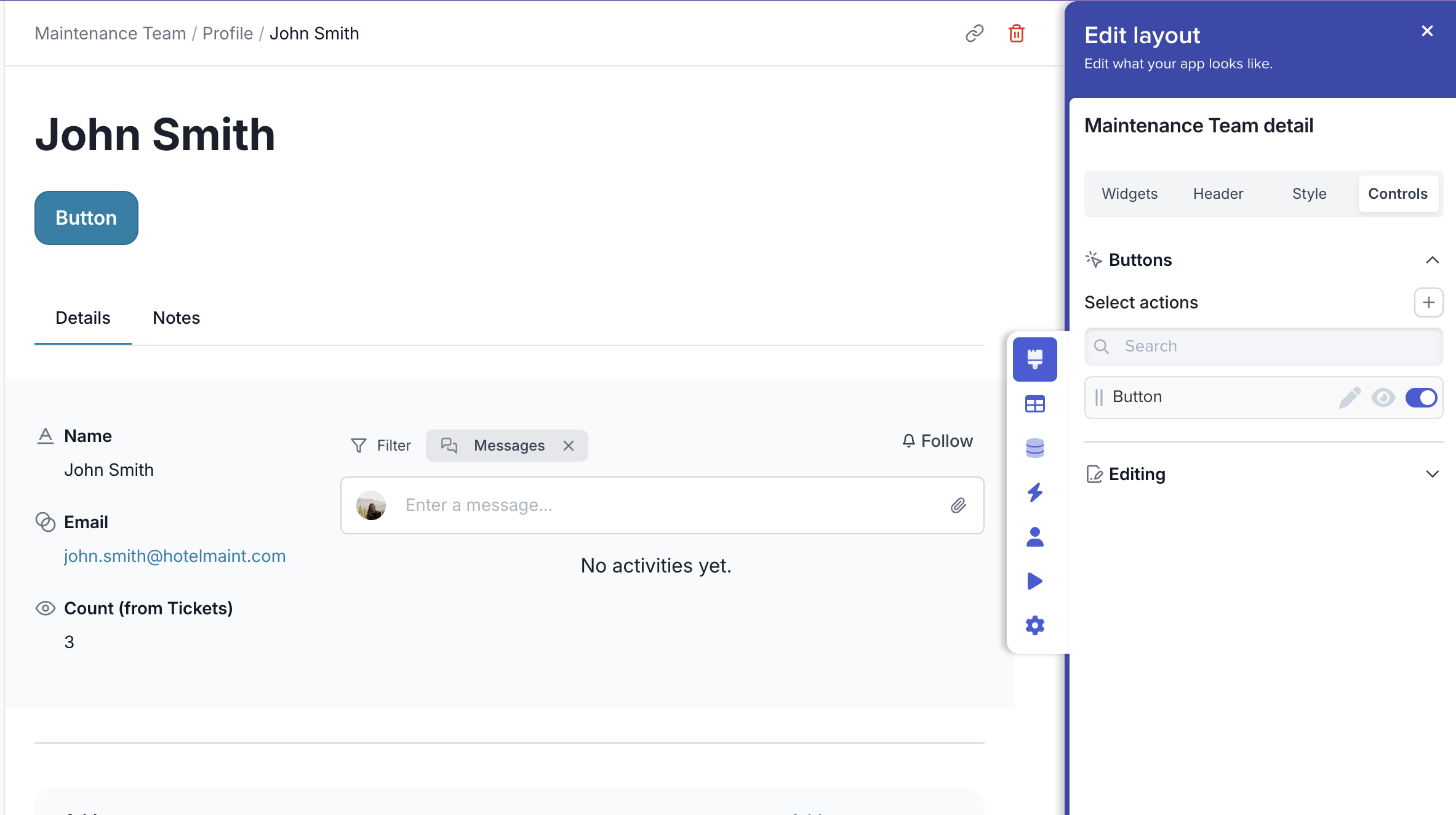
1. Go to your detail layout
2. Click **Edit Layout**
3. Click **Controls**
4. Create an action button or toggle on existing buttons
5. [Setup](/stacker-astra/ai-and-automations/action-buttons/edit-an-action-button.md) your butto
 **Edit Layout**
3. Click **Controls**
4. Create an action button or toggle on existing buttons
5. [Setup](/stacker-astra/ai-and-automations/action-buttons/edit-an-action-button.md) your butto
**Edit Layout**
3. Click **Controls**
4. Create an action button or toggle on existing buttons
5. [Setup](/stacker-astra/ai-and-automations/action-buttons/edit-an-action-button.md) your butto