> For the complete documentation index, see [llms.txt](https://docs.stackerhq.com/stacker-astra/llms.txt). Markdown versions of documentation pages are available by appending `.md` to page URLs; this page is available as [Markdown](https://docs.stackerhq.com/stacker-astra/ai-and-automations/action-buttons/edit-an-action-button.md).
# Edit an action button
Use an action button to trigger a [Zapier automation](/stacker-astra/ai-and-automations/integrations/zapier-integration.md), [Make.com automation](/stacker-astra/ai-and-automations/integrations/make.com-integration.md), an i[nternal automation](/stacker-astra/ai-and-automations/workflows-beta.md) (beta), an [AI Agent](/stacker-astra/ai-and-automations/ai-agents-beta.md) or to prompt your users to update records.
### Edit Action Button
To edit an action button:
1. Toggle on the action button
2. Select the Pencil icon
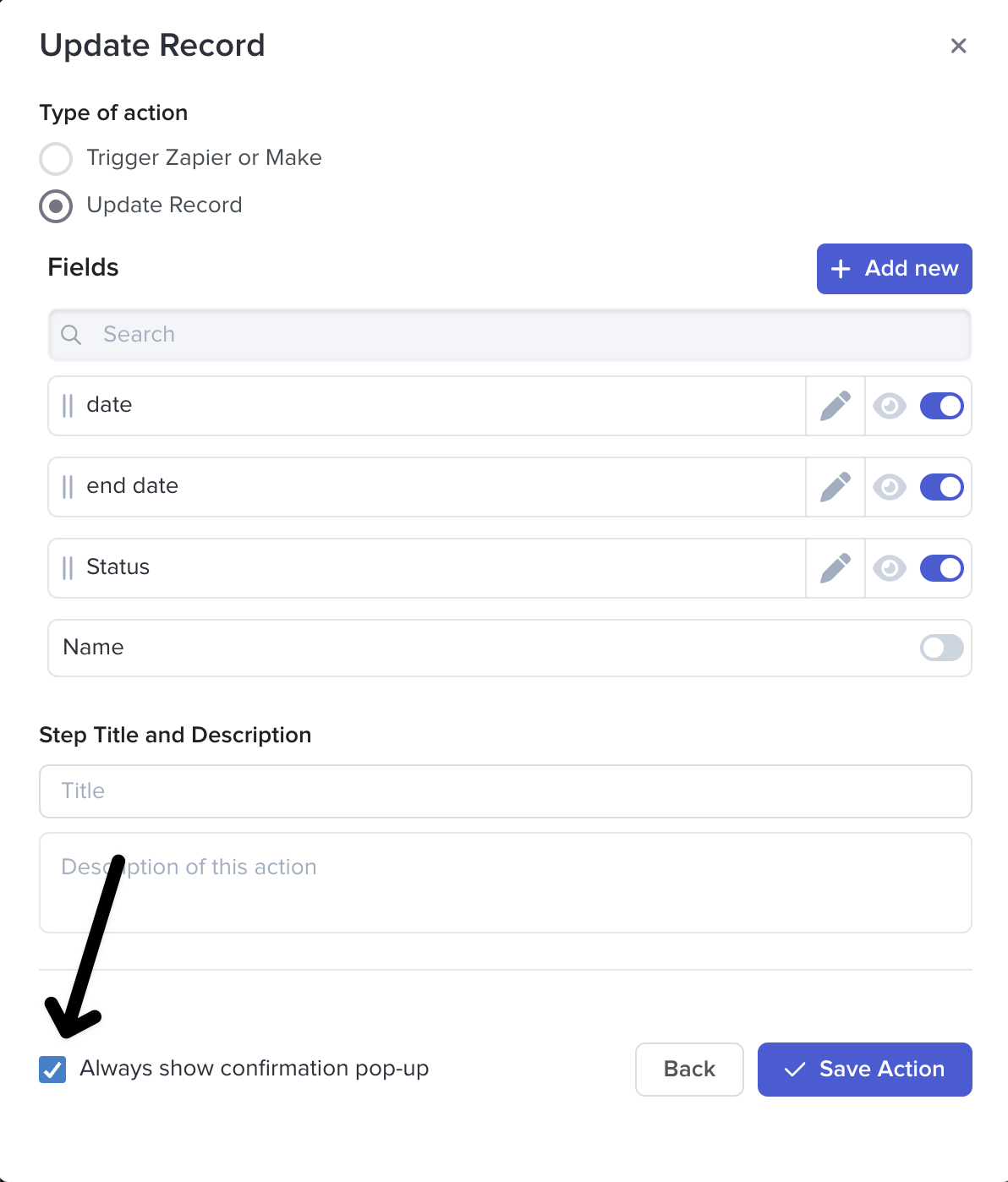
3. Click **Update Record**
4. Select the Pencil icon next to the field
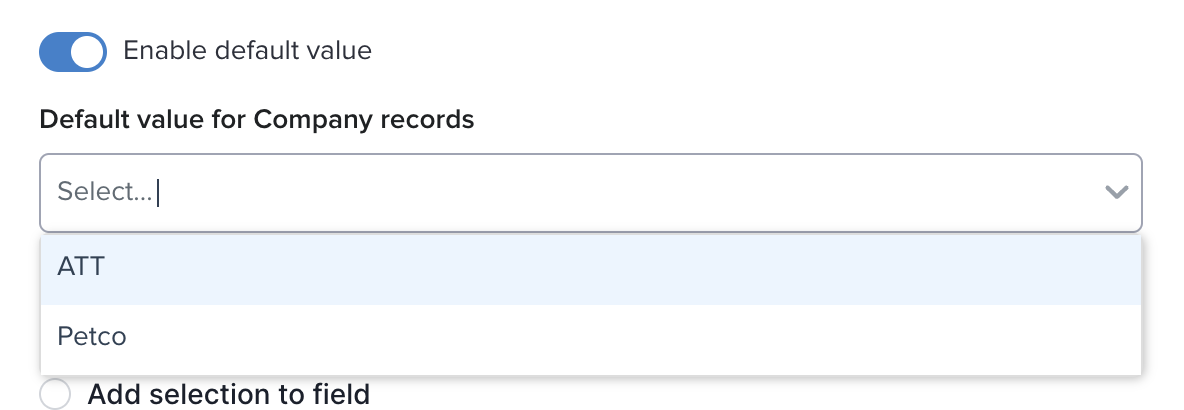
* **Enable a default value** - choose what value will be selected when pushing an action button
* For example, move a record from **In progress** to **Done** by pressing a button
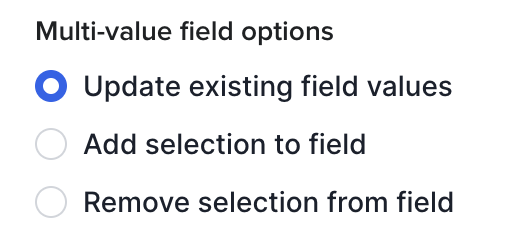
* **Multi-Value field options -**options appear when using an action button on a multi-select, single select or linked record:
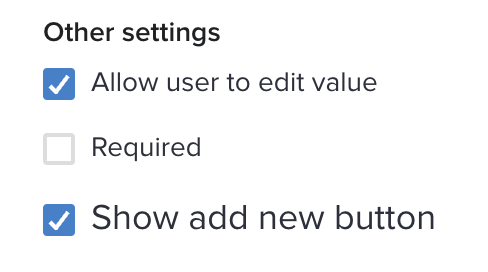
* **Other Settings -** allowing editing the value, make a field required, or display the add new button to create new values
* **Always show confirmation pop-up:** Check the box to allow users to edit the values in the action button.
 Pencil icon
3. Click **Update Record**
4. Select the
Pencil icon
3. Click **Update Record**
4. Select the  Pencil icon next to the field
* **Enable a default value** - choose what value will be selected when pushing an action button
* For example, move a record from **In progress** to **Done** by pressing a button
Pencil icon next to the field
* **Enable a default value** - choose what value will be selected when pushing an action button
* For example, move a record from **In progress** to **Done** by pressing a button