> For the complete documentation index, see [llms.txt](https://docs.stackerhq.com/stacker-astra/llms.txt). Markdown versions of documentation pages are available by appending `.md` to page URLs; this page is available as [Markdown](https://docs.stackerhq.com/stacker-astra/ai-and-automations/open-api-overview/setup-guide.md).
# Setup Guide
## Integration Key
In order to use the Stacker API , you'll need to first find your personal integration key in your personal settings.
This key represents your user in Stacker, and allows you to make API calls, create and modify records, and integrate with third-party tools, such as Zapier or Make.
As always with access tokens, this token is specific to your user and should not be shared for use outside of your personal account.
### Finding your integration key
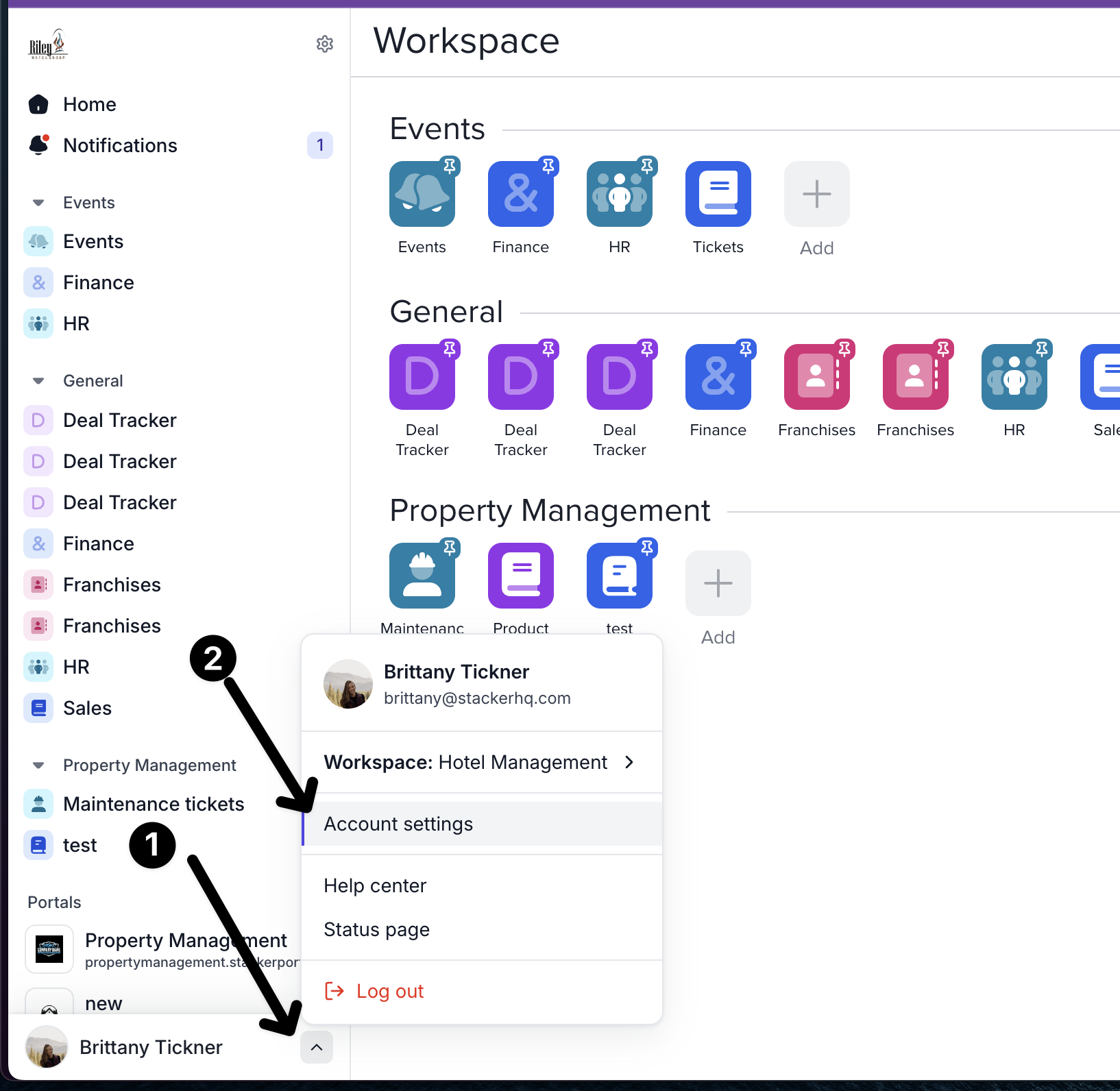
* In the bottom left corner of your application, click your profile
* Select "Account Settings", and then "Integration"
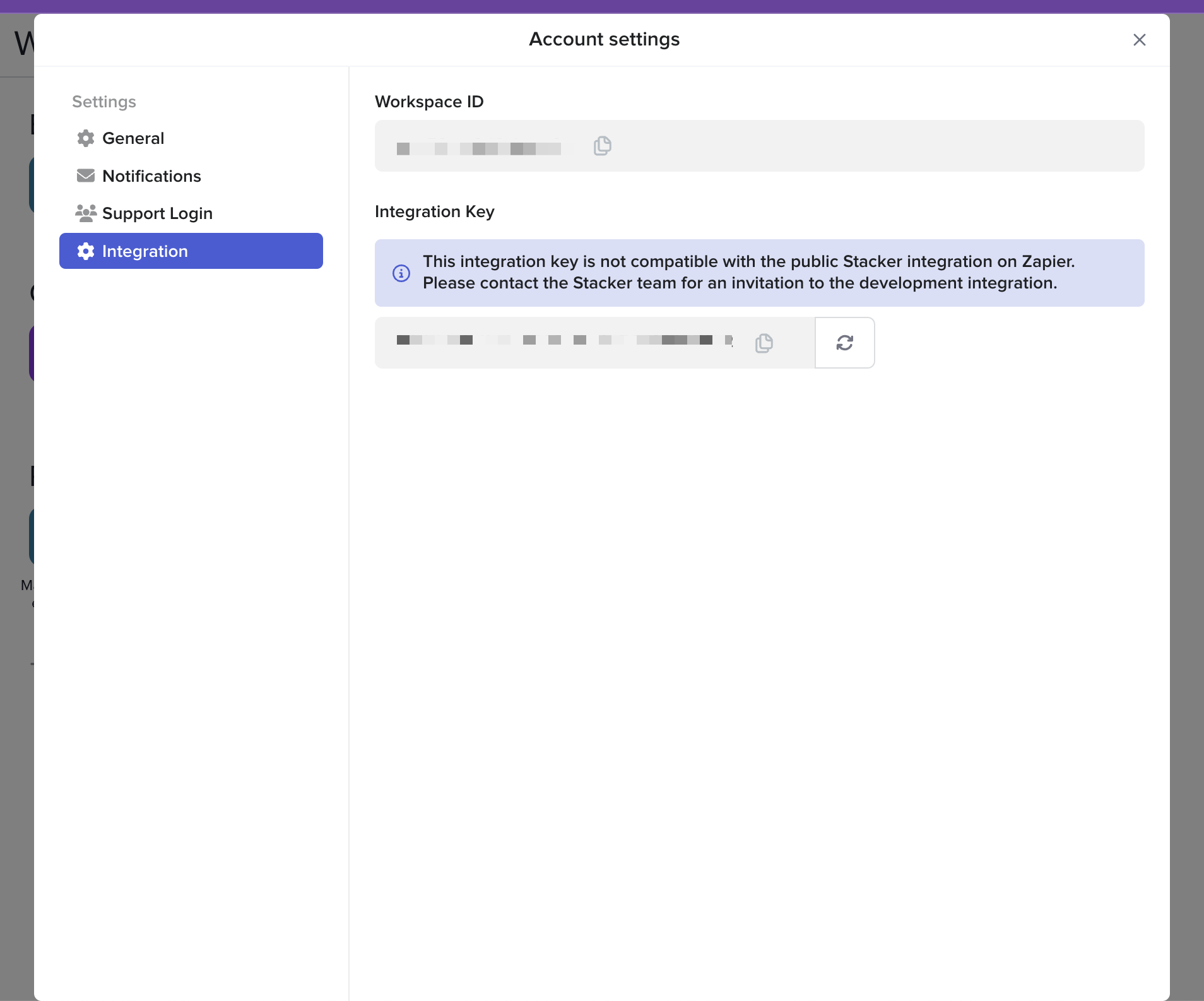
* From here you can access your **Integration Key**
### **Refreshing your integration key**
If you believe your integration key has been compromised, you can refresh it here.
Be aware that doing so will break any existing integrations using this key. This is not a reversible action – once you have refreshed the key, there is no way to return to the previous version.