> For the complete documentation index, see [llms.txt](https://docs.stackerhq.com/stacker-astra/llms.txt). Markdown versions of documentation pages are available by appending `.md` to page URLs; this page is available as [Markdown](https://docs.stackerhq.com/stacker-astra/data-management/edit-data-in-the-layout.md).
# Edit Data in the Layout
Users can edit the data on the list layouts, detail layouts, or action button. Data can also be created through using the Create form Layout.
## Edit data in the list layout
Edit data directly from the list layout through the system buttons or action buttons.
#### System buttons
Hover on a record and use the three dots to make quick record changes in the layout, open the record, or copy the link.
#### Setup system buttons
1. Go to a list layout
2. Select **Edit Layout**
3. Select **Actions**
4. Decide which options are available in your tools
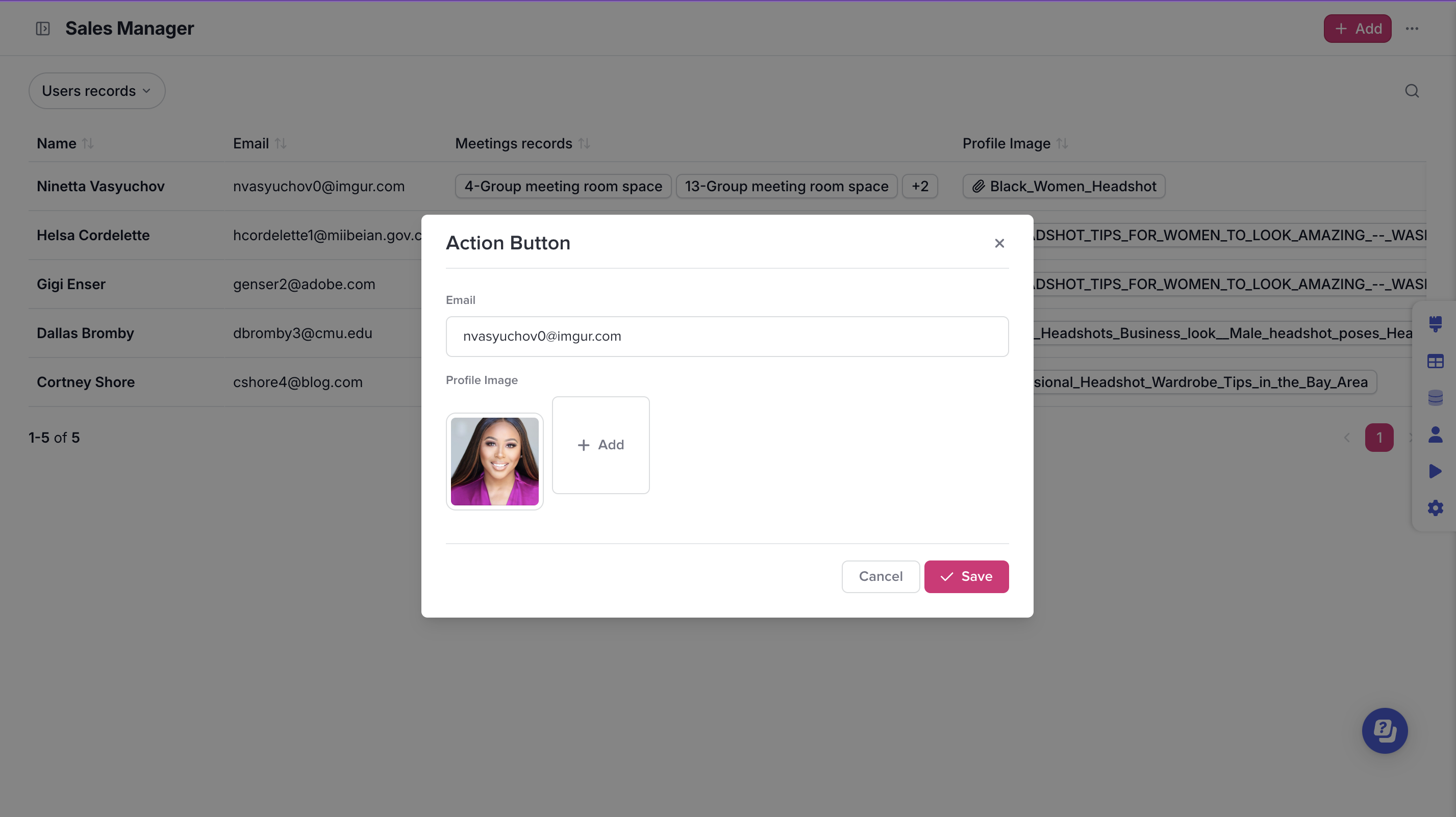
## Edit data using an action button
If you have repeated processes or fields that need to be updated as part of your workflows, you can create an action button for your list layout or detail layouts.
Learn how to setup an action button [here](/stacker-astra/ai-and-automations/action-buttons.md).
## Edit data in the detail layout
Double click on an editable field to make changes to your record or click the edit button on the top right to go into record edit mode.
## Add data using a create form layout
Allow your end users to add in records with the relevant information.
1. Access the create form by selecting **Add New** on the top right of the detail page.
2. Select **Expand**
3. Select **Edit Layout** to customize your create form

 **Edit Layout**
3. Select **Actions**
4. Decide which options are available in your tools
## Edit data using an action button
If you have repeated processes or fields that need to be updated as part of your workflows, you can create an action button for your list layout or detail layouts.
Learn how to setup an action button [here](/stacker-astra/ai-and-automations/action-buttons.md).
**Edit Layout**
3. Select **Actions**
4. Decide which options are available in your tools
## Edit data using an action button
If you have repeated processes or fields that need to be updated as part of your workflows, you can create an action button for your list layout or detail layouts.
Learn how to setup an action button [here](/stacker-astra/ai-and-automations/action-buttons.md).