> For the complete documentation index, see [llms.txt](https://docs.stackerhq.com/stacker-astra/llms.txt). Markdown versions of documentation pages are available by appending `.md` to page URLs; this page is available as [Markdown](https://docs.stackerhq.com/stacker-astra/security/add-user-permissions.md).
# Add User Permissions
Permissions let you control what your users can see, and how they can interact with data in your apps. By default all users can read, update, and create new records. Permissions are set on each table.
## Permission Overview
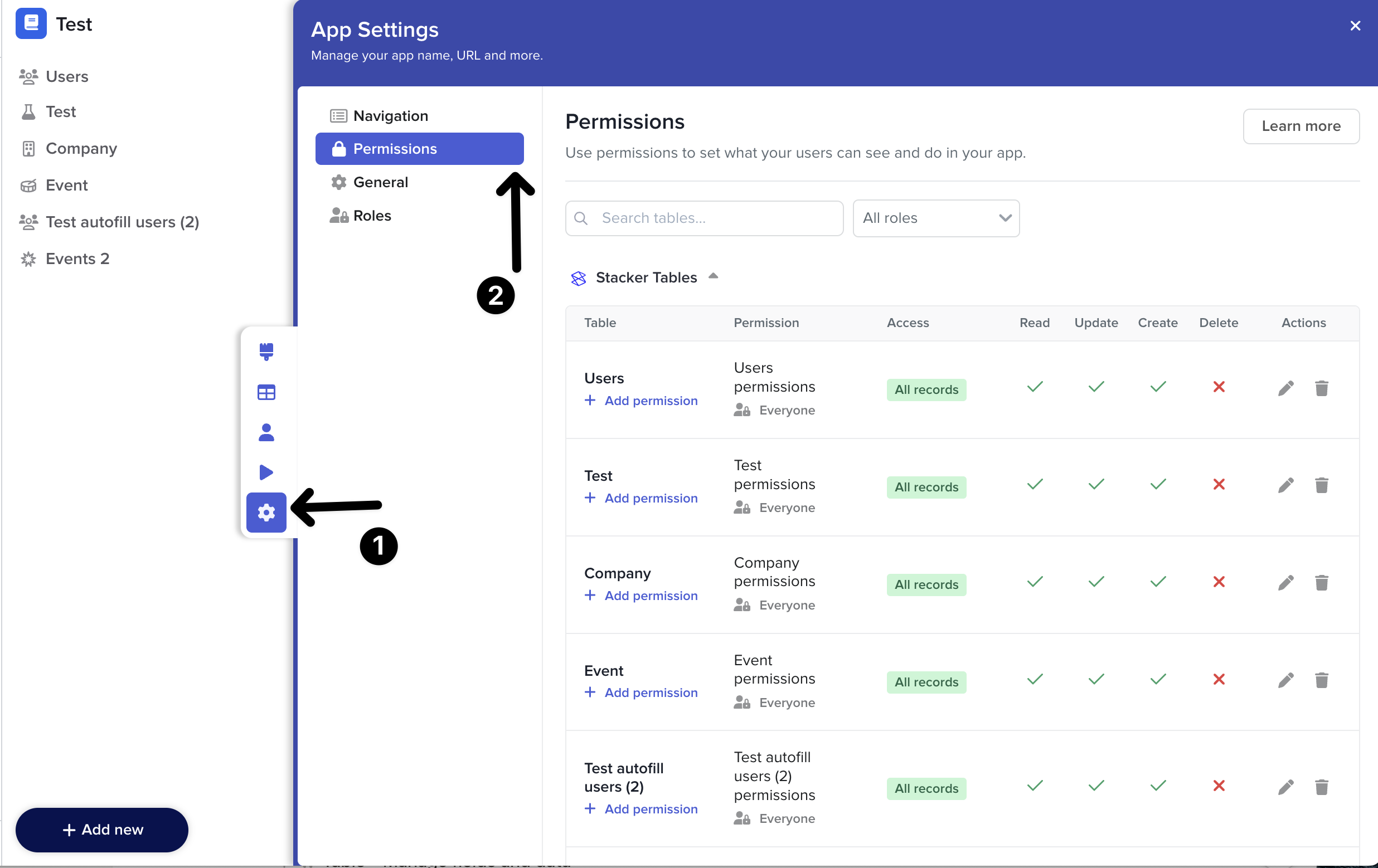
Each permission has icons and labels to help you understand your permissions at a glance
* **Permission**: This shows the name of your permission rule and the user role the rule applies to. This is based on the Permission sharing section.
* **Access**: Determines which records the user can access. All records, some records or no records. This is based on the Record filters section.
* **Read, Update, Create** and **Delete:** whether users can perform this action on all fields (a green tick), some fields (a yellow dash), or no fields (a red cross). This is based on the Field access section.
* **Actions**: Allows you to edit or delete the permission rule.
{% hint style="info" %}
A user can access a table if *any* of the permission rules give them access.
By default, all users can read, update, and create data.
{% endhint %}
### **Access Permissions**
1. Go to **Manage fields and data**
2. Select **Permissions**
### **Or view all table permissions in one place**
1. Go to **App Settings**
2. Select **Permissions**
 **Manage fields and data**
2. Select **Permissions**
### **Or view all table permissions in one place**
1. Go to
**Manage fields and data**
2. Select **Permissions**
### **Or view all table permissions in one place**
1. Go to