> For the complete documentation index, see [llms.txt](https://docs.stackerhq.com/stacker-astra/llms.txt). Markdown versions of documentation pages are available by appending `.md` to page URLs; this page is available as [Markdown](https://docs.stackerhq.com/stacker-astra/user-access/add-users.md).
# Add Users
Add users to your apps to give them access to your apps
Adding users to your app gives them access to your app and allows you to share the app with your external or internal users.
## **Add Users to app**
1. Go to **Manage Users**
2. Select **Create table group**
3. Give the group a name
4. Select the table
5. Assign this group a role or create a new role
6. Select the field with the email addresses of the users
7. Set a data filter (optional)
Send your users the URL of your app to share the app with them.
{% hint style="info" %}
You must first add a table in your data grid with an **email field** and have [roles enabled. ](/stacker-astra/security/roles.md)
{% endhint %}
{% embed url="" %}
## **Add Individual Users**
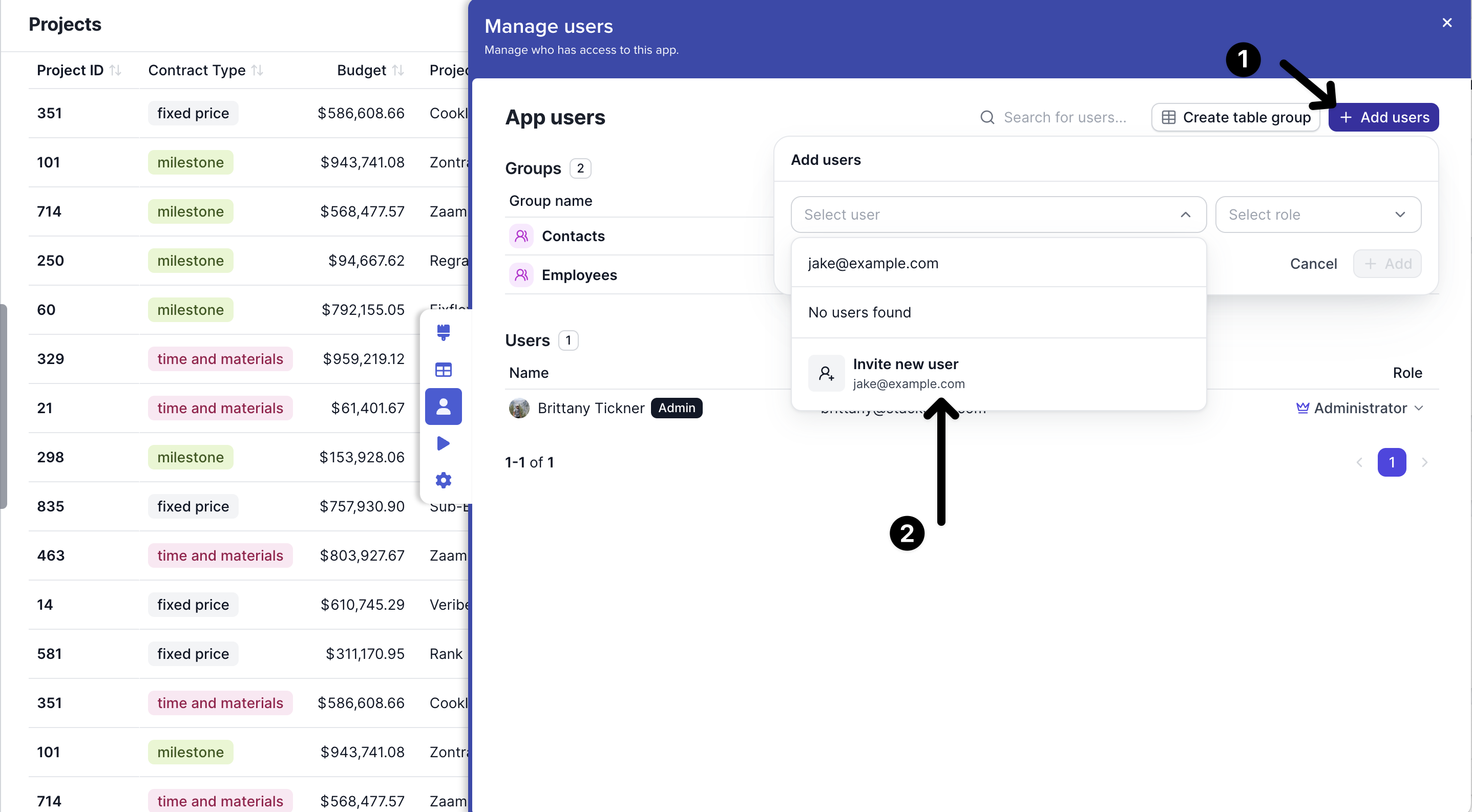
1. Go to **Manage Users**
2. Select **Add User**
3. Select a name from your app or start typing to invite a new user
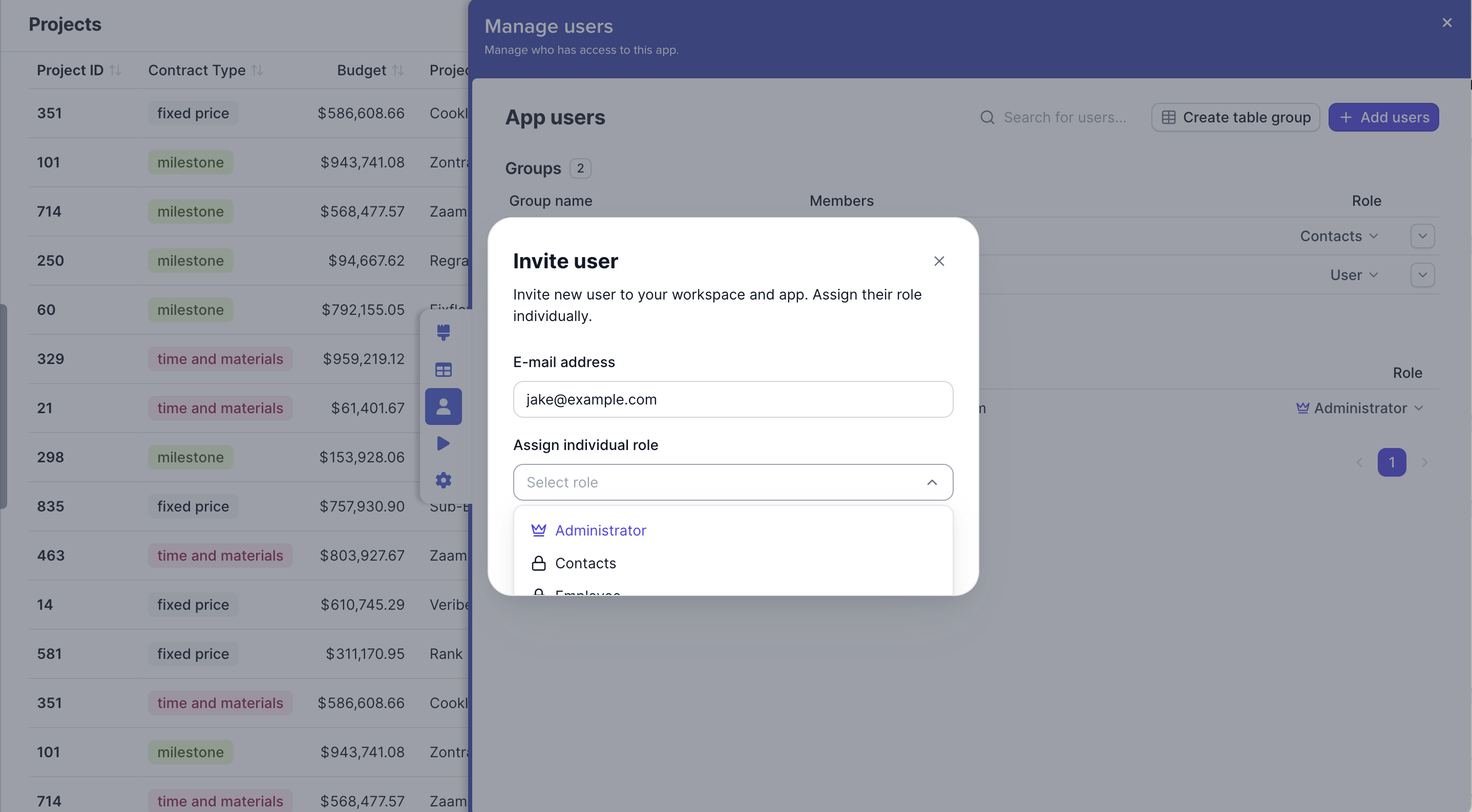
4. Click **Invite**
5. Assign them a role
## Adding an Administrator
Administrators are users who can edit the apps layout, view the data grid and manage users.
### Assign admins
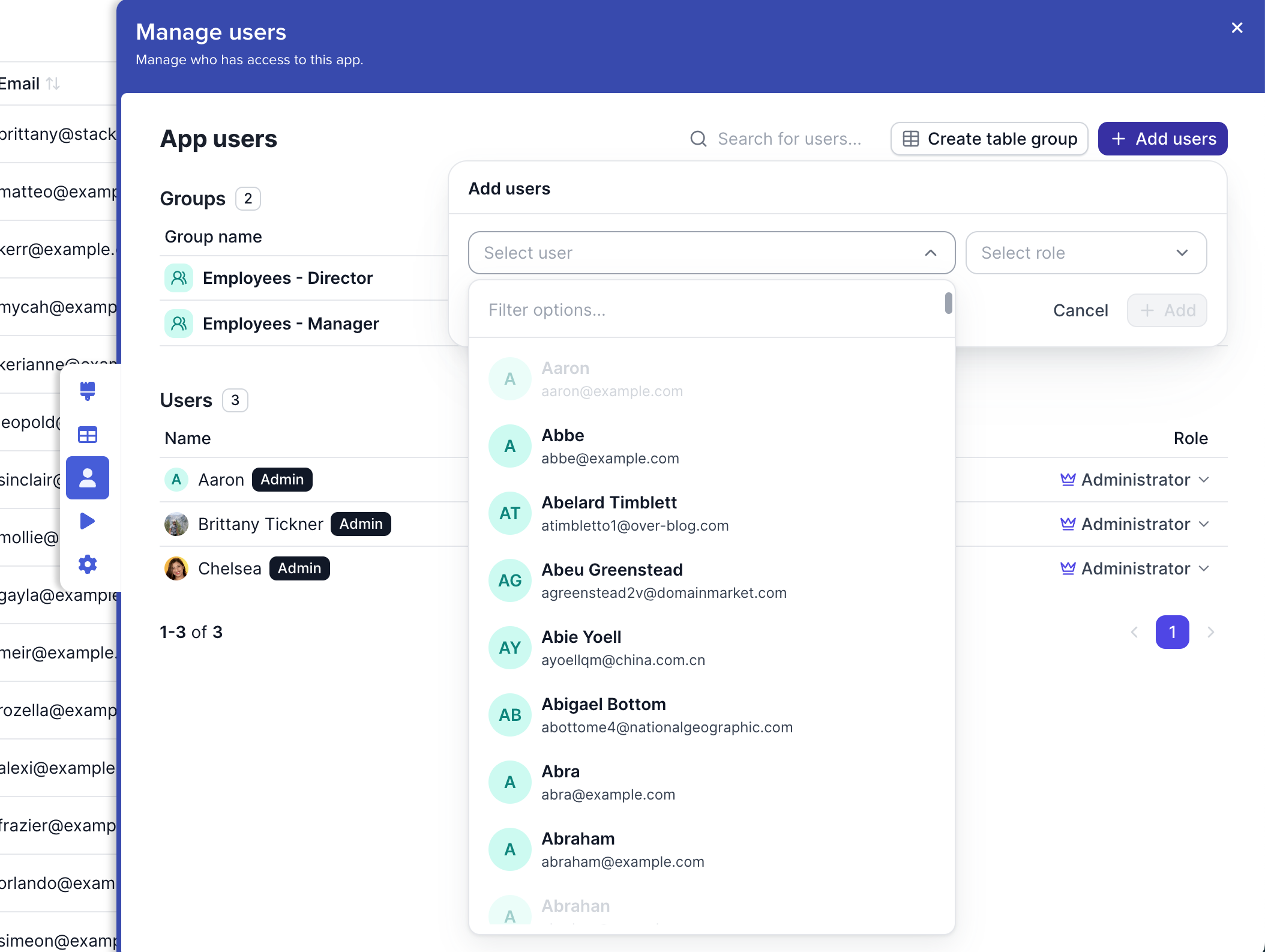
1. Go to **Manage Users**
2. Select **Add users**
3. Choose the user or type their email
4. Assign them the role of **Administrator**
 **Manage Users**
2. Select **Add User**
3. Select a name from your app or start typing to invite a new user
4. Click **Invite**
5. Assign them a role
**Manage Users**
2. Select **Add User**
3. Select a name from your app or start typing to invite a new user
4. Click **Invite**
5. Assign them a role