> For the complete documentation index, see [llms.txt](https://docs.stackerhq.com/stacker-astra/llms.txt). Markdown versions of documentation pages are available by appending `.md` to page URLs; this page is available as [Markdown](https://docs.stackerhq.com/stacker-astra/workspace-portals-and-apps/workspace/workspace-users.md).
# Workspace Users
### **Workspace Users**
These are users who can access the entire workspace and its settings. Only users added to your app through Table Groups or individually can see the app.
### **Administrators**
Administrators can see the Admin Panel giving them the ability to edit layouts, change permissions and edit the data grid of the apps they are granted the role administrator.
#### Add an Administrator
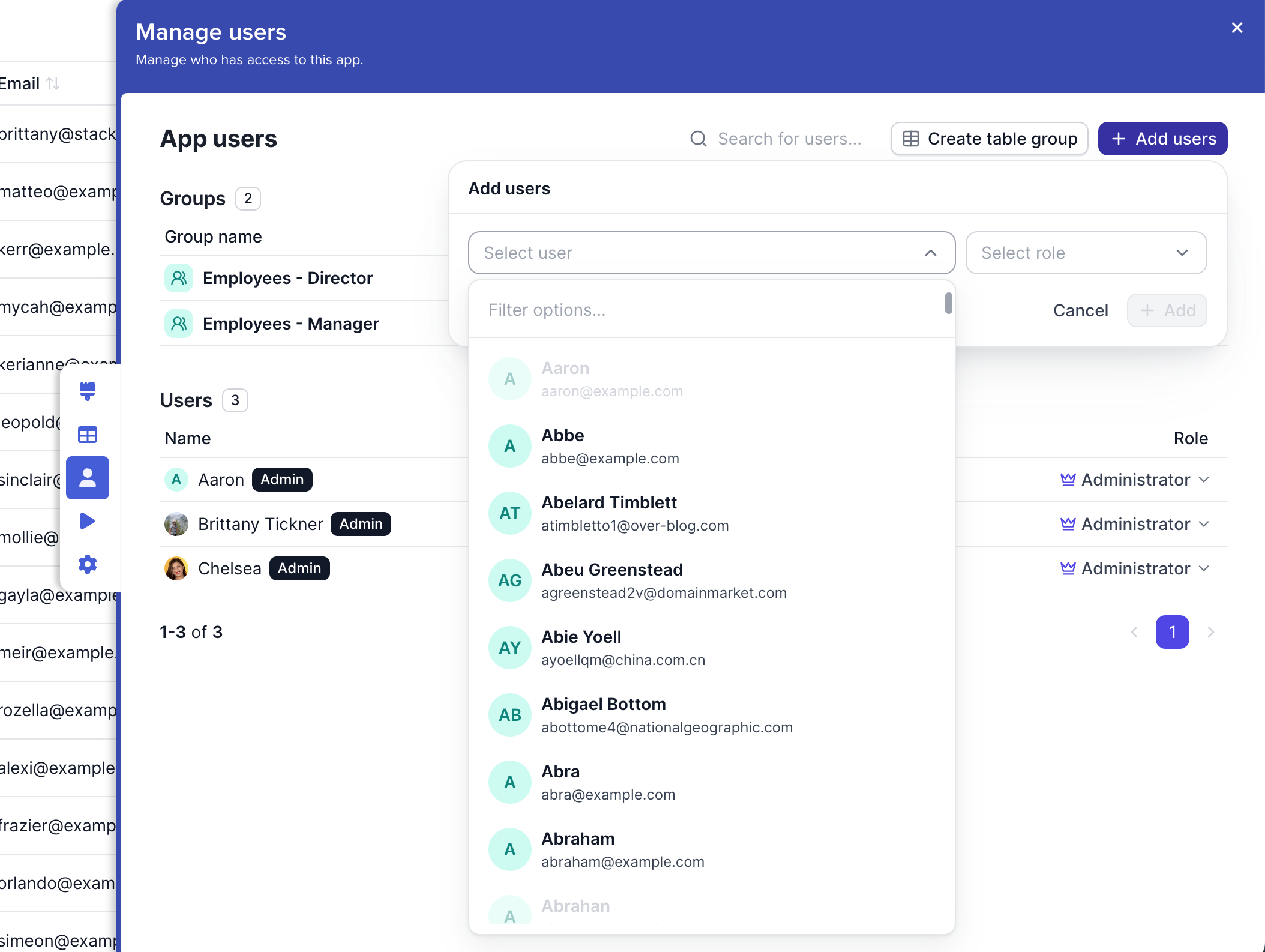
1. Go to**Manage Users**
2. Select **Add Users**
3. Select the user from the drop down or type a new email
4. Choose the role: **Administrator**
### **App Users**
App users access only the apps they are assigned to. They cannot see the admin panel and are able to see only what allowed through [Permissions](/stacker-astra/security/add-user-permissions.md#permission-overview).
* [How to add users](/stacker-astra/user-access/add-users.md)
 **Manage Users**
2. Select **Add Users**
3. Select the user from the drop down or type a new email
4. Choose the role: **Administrator**
**Manage Users**
2. Select **Add Users**
3. Select the user from the drop down or type a new email
4. Choose the role: **Administrator**