# Headers

Choose what type of header to show on your record layouts.&#x20;

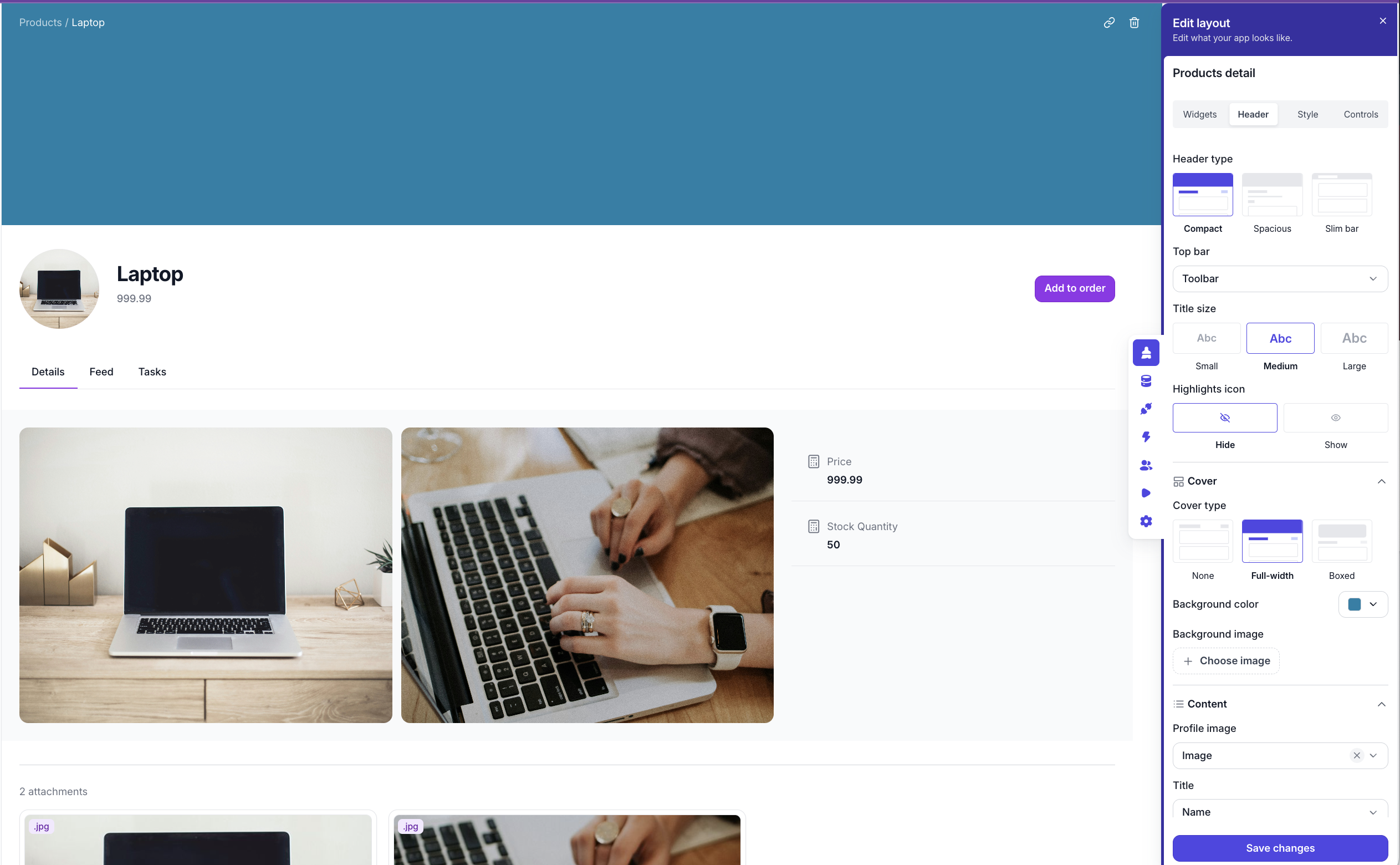
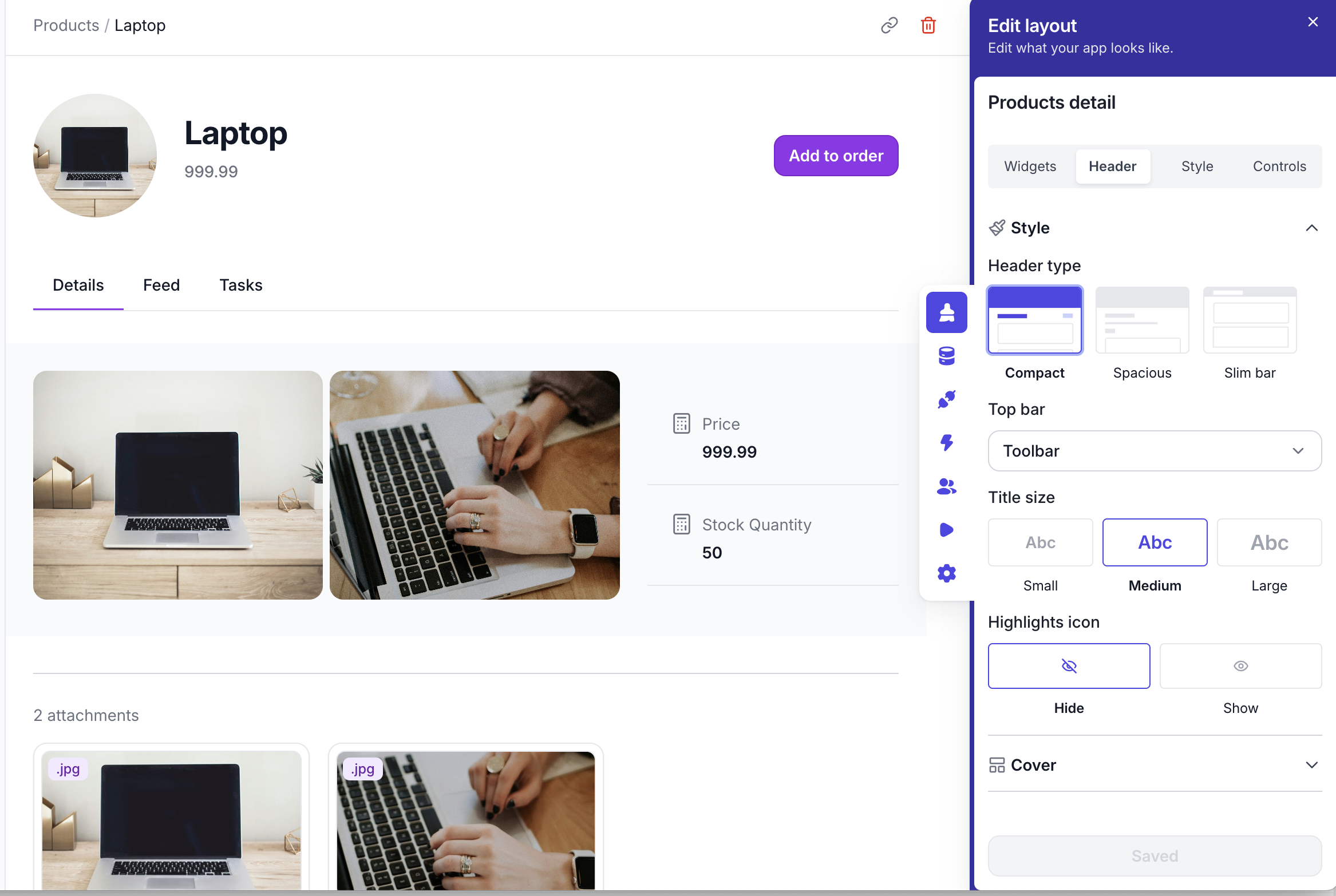
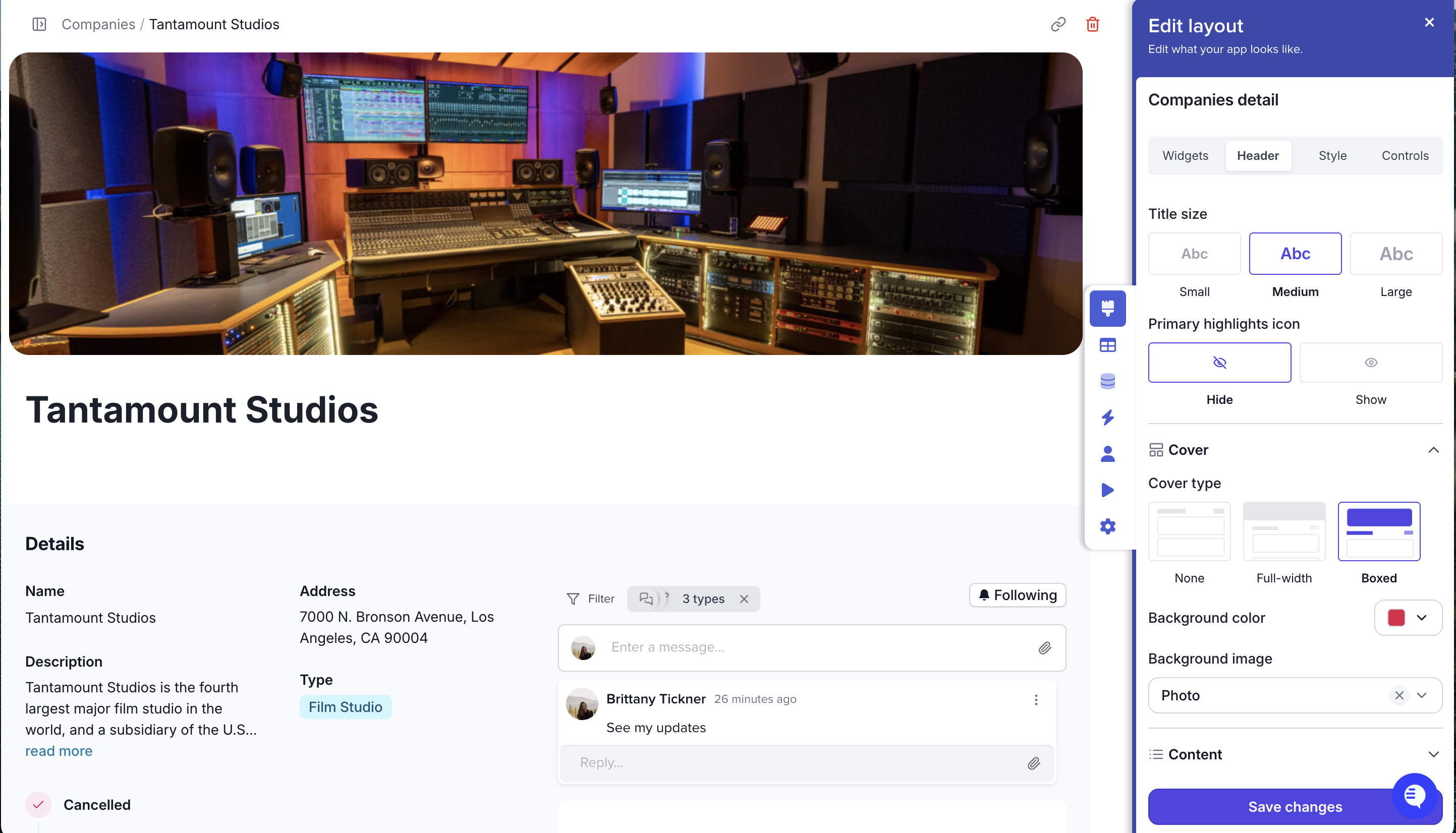
Choose the header type, the top bar that shows, how big the title should be, if you want to add in a larger photo or background color, then add in your content that is important to the page: Title, highlights and quick bits of information. Add an action button to allow users to make quick actions on records.&#x20;

<figure><img src="https://3670244749-files.gitbook.io/~/files/v0/b/gitbook-x-prod.appspot.com/o/spaces%2F6QaGf7ZvNU2Re8mlQTaJ%2Fuploads%2FUUpEXDxjbFbNCPnmd9Zh%2FCleanShot%202025-09-24%20at%2013.19.00%402x.png?alt=media&#x26;token=fa6dcedb-84ae-49f4-aadf-7877a840e754" alt=""><figcaption></figcaption></figure>

<details>

<summary>Compact</summary>

<figure><img src="https://3670244749-files.gitbook.io/~/files/v0/b/gitbook-x-prod.appspot.com/o/spaces%2F6QaGf7ZvNU2Re8mlQTaJ%2Fuploads%2FpVMZu8h4wWiZdwwLfY8n%2FCleanShot%202025-09-24%20at%2013.17.13%402x.png?alt=media&#x26;token=332ef451-d655-471f-ac5a-4af1708cdade" alt=""><figcaption></figcaption></figure>

</details>

<details>

<summary>Spacious</summary>

<figure><img src="https://3670244749-files.gitbook.io/~/files/v0/b/gitbook-x-prod.appspot.com/o/spaces%2F6QaGf7ZvNU2Re8mlQTaJ%2Fuploads%2F5HQlI0EyIFNlwvVtlxJO%2FCleanShot%202025-04-22%20at%2014.03.56%402x.png?alt=media&#x26;token=ba71a375-eea9-4240-997e-022a70a2a226" alt=""><figcaption></figcaption></figure>

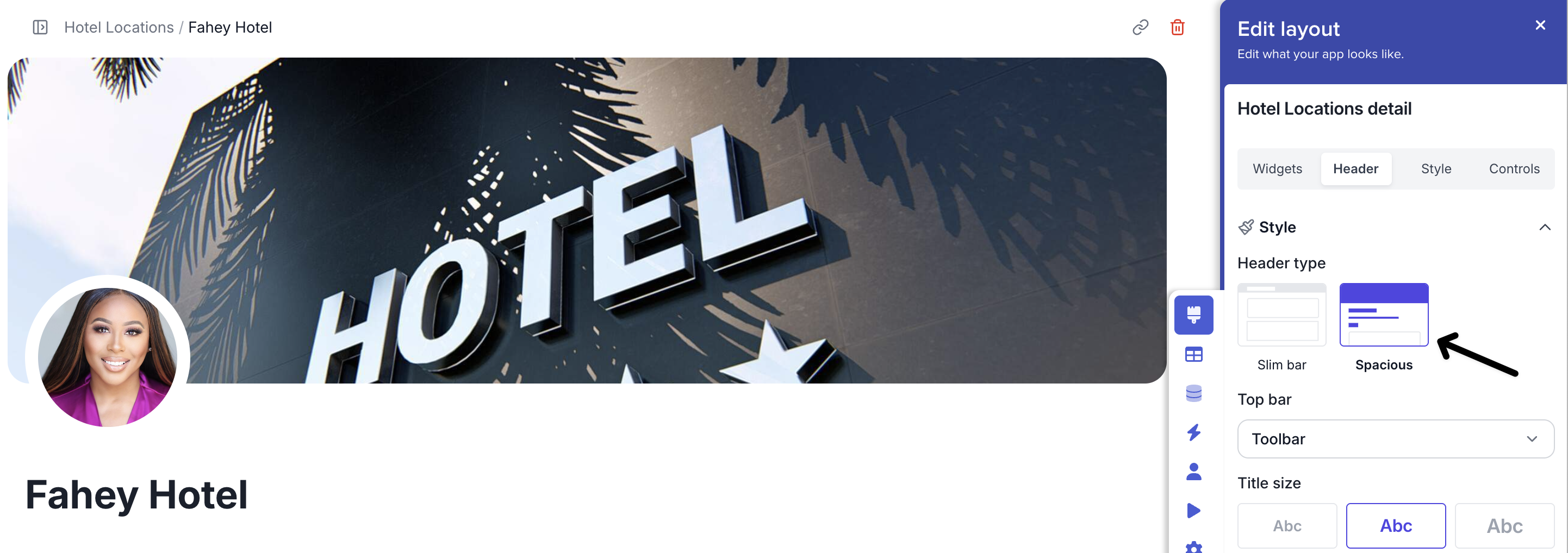
Spacious allows you to add a large image over the top of your detail pages

**Top Bar:** Choose toolbar to show the tools on the top or next to the breadcrumbs.&#x20;

</details>

<details>

<summary>Slim bar</summary>

<figure><img src="https://3670244749-files.gitbook.io/~/files/v0/b/gitbook-x-prod.appspot.com/o/spaces%2F6QaGf7ZvNU2Re8mlQTaJ%2Fuploads%2FW6ksRtm46MAe0Y6EIvrp%2FCleanShot%202025-04-22%20at%2014.06.37%402x.png?alt=media&#x26;token=b6eb7e13-d8bb-4eef-b770-67784874d247" alt=""><figcaption></figcaption></figure>

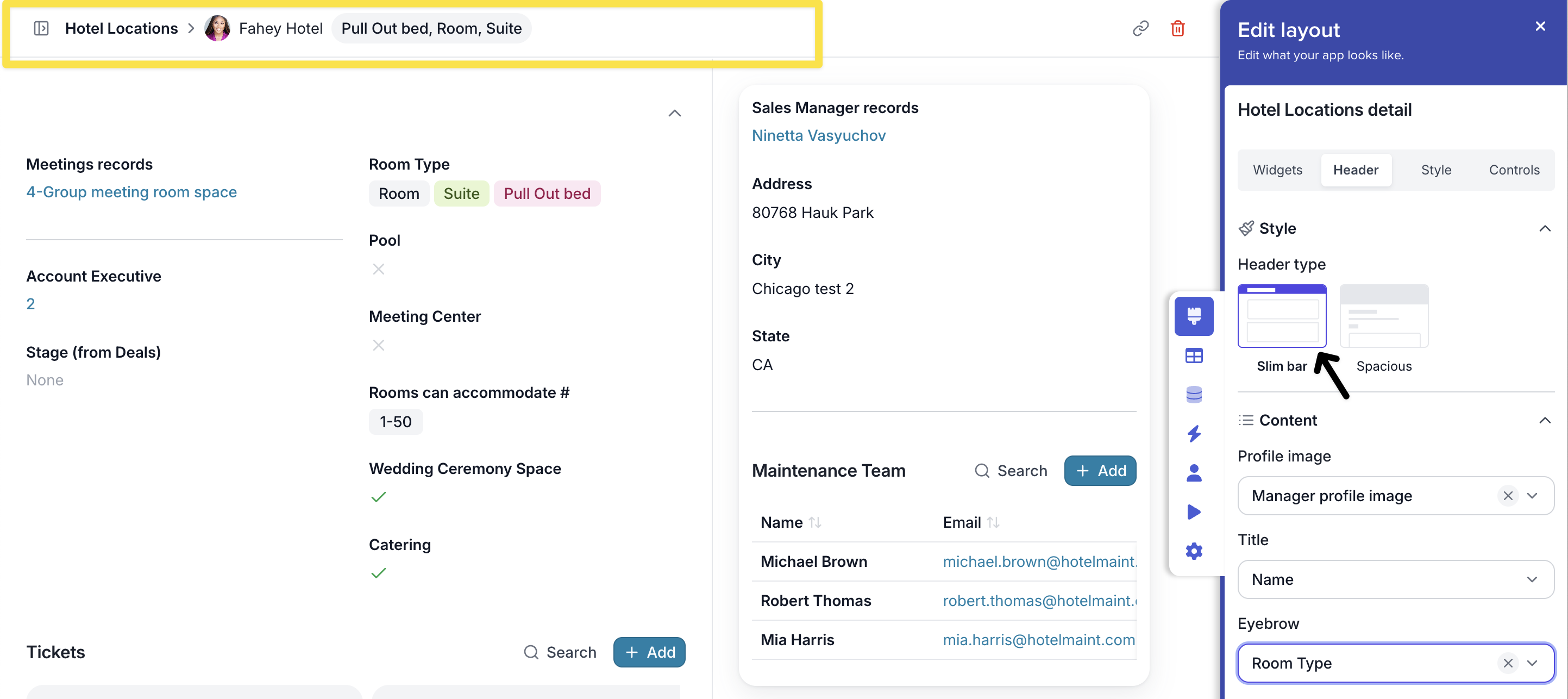
Choose the slim option to have a streamlined header to focus on the content.&#x20;

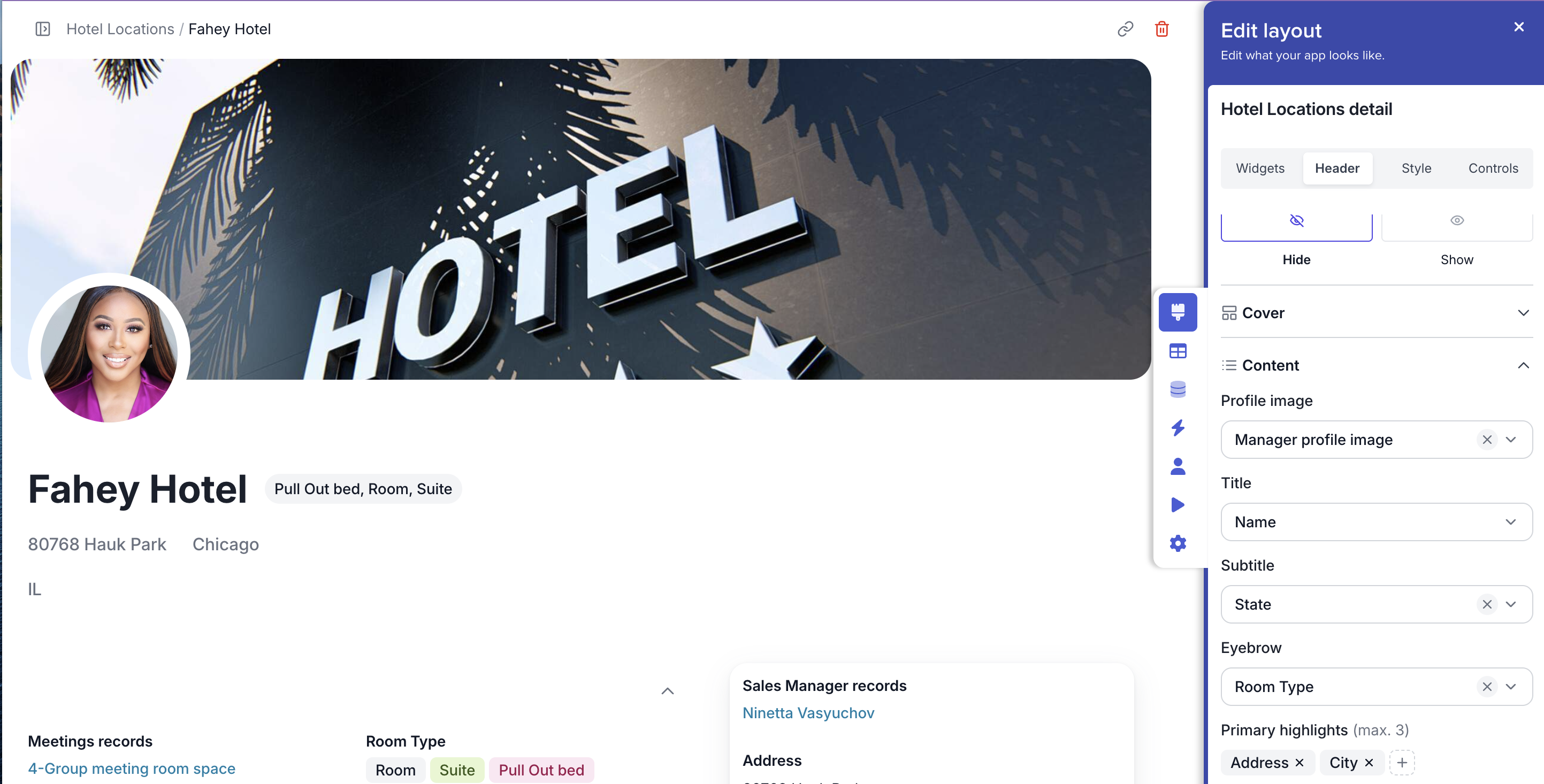
Decide on the Profile image to appear, the title and an eyebrow a piece of information that is important to the record.&#x20;

</details>

### Cover

**Choose your Cover Type**

<figure><img src="https://3670244749-files.gitbook.io/~/files/v0/b/gitbook-x-prod.appspot.com/o/spaces%2F6QaGf7ZvNU2Re8mlQTaJ%2Fuploads%2FGNFP5GyqnotJy6kt4XtW%2FCleanShot%202025-04-18%20at%2012.57.57%402x.png?alt=media&#x26;token=da6e1aa7-80e9-418c-9dc6-b54118965091" alt=""><figcaption></figcaption></figure>

### Content

<figure><img src="https://3670244749-files.gitbook.io/~/files/v0/b/gitbook-x-prod.appspot.com/o/spaces%2F6QaGf7ZvNU2Re8mlQTaJ%2Fuploads%2FheqYi255m4R9UFi1CF5b%2FCleanShot%202025-04-22%20at%2014.12.21%402x.png?alt=media&#x26;token=be7a87ea-efb9-45f1-83b8-d7a15eea9851" alt=""><figcaption></figcaption></figure>

**Profile Image**&#x20;

Choose a profile image to appear on the page as a circle under the header.&#x20;

**Title**

Choose the field you want to be your record title.&#x20;

**Subtitle, Eyebrow and Primary highlights**

Choose a field to appear next to the title, under the title and show fields that are important.&#x20;