> For the complete documentation index, see [llms.txt](https://docs.stackerhq.com/stacker-classic/llms.txt). Markdown versions of documentation pages are available by appending `.md` to page URLs; this page is available as [Markdown](https://docs.stackerhq.com/stacker-classic/users/users-app-users/login-flow-for-users.md).
# Login flow for users
Users can log into Stacker in multiple ways:
* [Password-less Sign in](#h_01H4PJPB0WXXG2FMMAGY2TPKDE)
* [Login with a Password](#h_01H4PJPJY9BSS7BAD5FCJ7P6R0)
* [Google Sign in](#h_01H5TJST1SX7RM9H90C1DFV3N2)
* [Single Sign on Option (Enterprise)](#h_01H5TJSERC84VBSAATXKWHCZZ2)
## Password-less Sign in
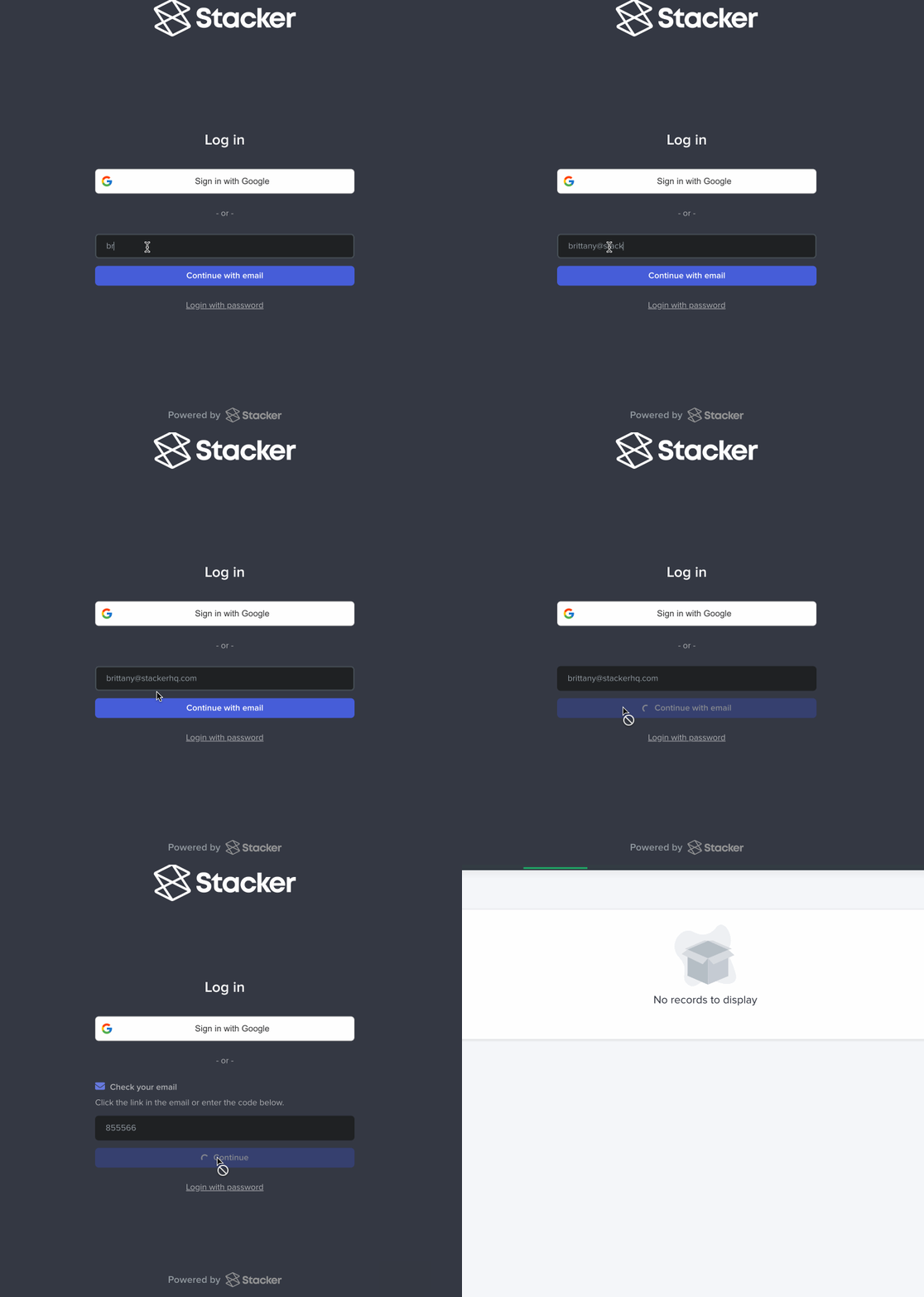
Users can login to Stacker with a magic code that is sent to their email each time they login.
1. Go to \[**workspace].stackerhq.com/login**
2. Enter email
3. Select **Continue with email**
4. An email will be sent to your inbox
5. Follow link or copy one-time code and paste into Stacker
## Login with password
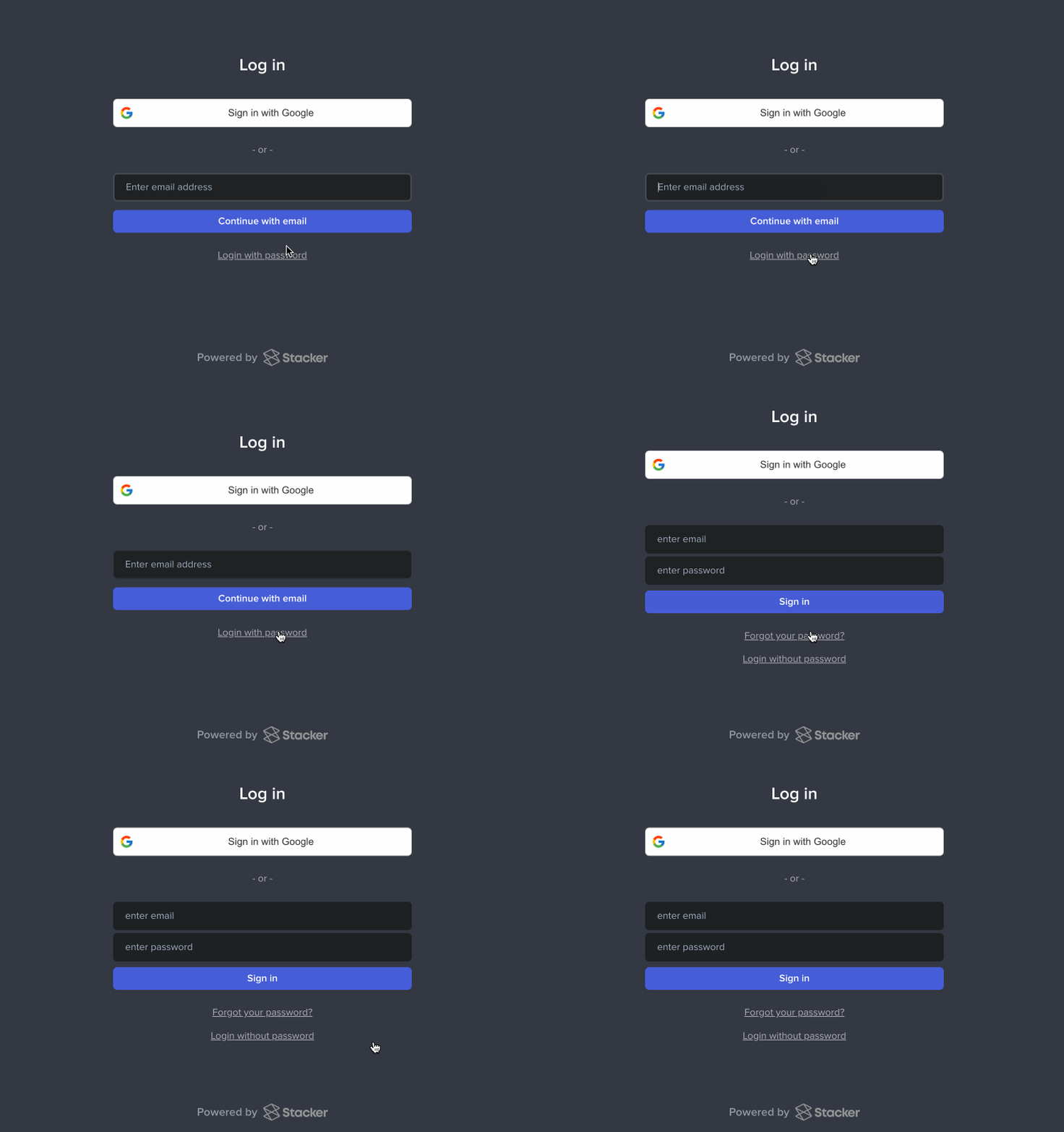
Users can set a password to use when they log in:
1. Go to the \[**workspace].stackerhq.com/login**
2. Click **Login With Password**
3. Enter email and password
4. Click **Login**
## 
## Reset password
If a user forgets their password they can reset it from the login page.
1. Select **Forgot Password**
2. Enter email
3. Click **Reset Password**
4. Go to email inbox and follow **Reset Password** link
5. Enter new password
**Setting a Password**
To set a password for the first time, follow the Reset Password steps.
## Google Sign In
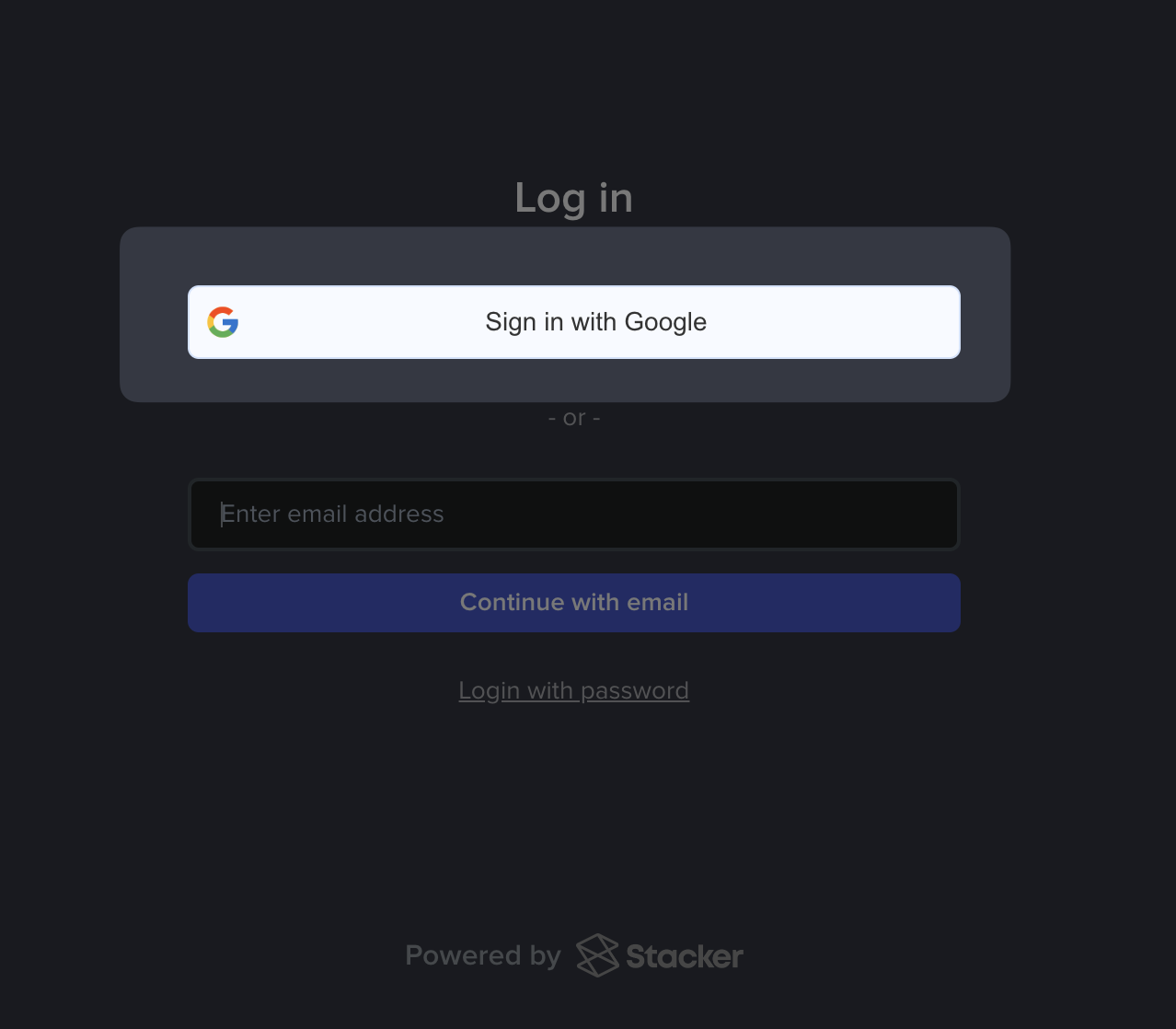
You can sign in to Stacker with your Google account, if this is the email registered in the app.
1. Select **Sign in with Google**
2. Select the email account to sign in with
3. Type your Google password
4. Sign in
## Single Sign on Option (SSO)
{% hint style="info" %}
**Enterprise Only**
{% endhint %}
Enterprise Single Sign on Option or SSO allows you to secure and manage access to your application centrally, using your existing Enterprise access control systems. Please reach out for more information!